
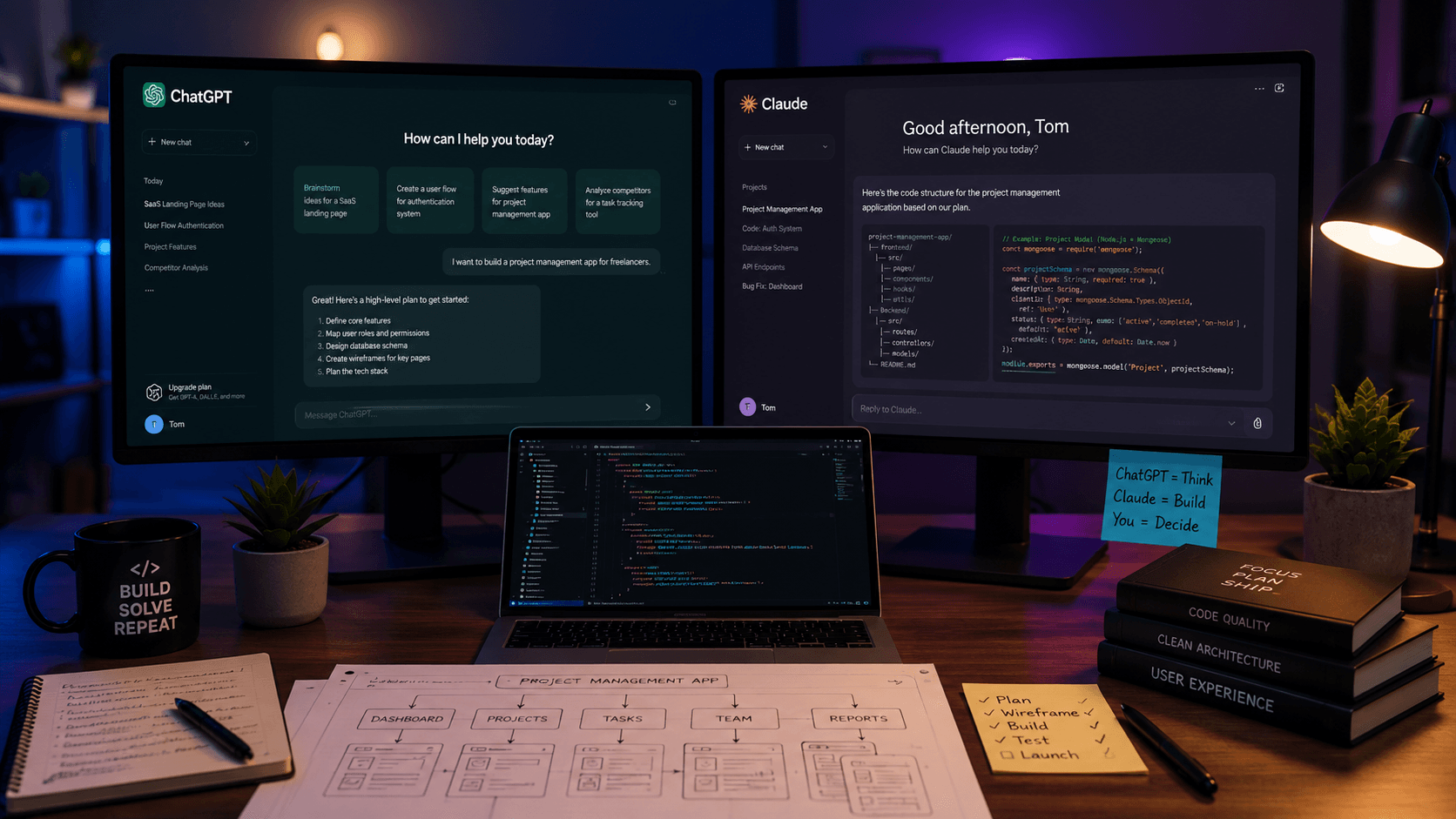
A few years ago, if someone had asked me which AI assistant was better for web development, I probably would have picked one without hesitation. Now my answer is completely different: I don’t think choosing between ChatGPT and Claude is even the right question anymore.
After using both tools to build real websites and web applications, I realized they solve different problems, and trying to make one replace the other only slowed my workflow down. The real breakthrough came when I stopped comparing them and started giving each one a distinct job in my AI-assisted web development workflow.
Today, ChatGPT helps me think. Claude helps me build. Together, using ChatGPT and Claude for coding has become one of the most useful parts of how I work — and I still run entirely on the free version of both tools.
This isn’t another benchmark or feature comparison. It’s simply the workflow that has worked for me, from simple landing pages to more complex web applications.
Looking for the “Best” AI Was My First Mistake
When AI coding assistants became popular, I did what a lot of developers probably did: I went searching for articles comparing ChatGPT and Claude. One article claimed ChatGPT was better. Another insisted Claude generated cleaner code. A YouTube video declared that one model had already overtaken the other, and a week later another creator reached the opposite conclusion.
The more comparisons I read, the more confused I became, so eventually I stopped reading reviews and started building real projects instead. That changed everything. After weeks of working with both tools side by side, I realized something surprisingly simple: I didn’t need a winner at all. What I really needed was a workflow that let each AI do what it does best.
AI Didn’t Replace My Development Process
One misconception I still see floating around online is the idea that AI builds software for you. That hasn’t been my experience with either ChatGPT or Claude. Every successful web development project I’ve shipped with AI still follows the same fundamental process — first understand the problem, then design the solution, and only after that does the coding begin.
AI can generate code incredibly fast, but it can’t automatically understand every business requirement, every user expectation, or every design decision that’s still sitting in my head. That part is still my job. This also explains why I don’t rely on AI to accept projects blindly. Even when a client asks me to build something that’s outside my current expertise, I don’t expect AI to magically fill the gaps. I still rely on research, continuous learning, and honest communication to deliver the best possible solution. Once I accepted that, my AI workflow for web development became far more useful, because instead of expecting either tool to think for me, I started using each one to help me execute ideas more efficiently.
Every Project Starts Long Before the First Line of Code
When people imagine AI-assisted development, they usually picture someone typing a prompt like “build me an e-commerce store.“ In reality, that’s almost never how I work. By the time I ask an AI to generate code, I’ve already spent time thinking through the project itself: What problem am I solving? Who will use it? Which features actually matter, and which ones are just noise?
Those questions matter far more than any programming language, and I’ve learned that the quality of the final application depends heavily on the quality of the planning that happens before coding even starts. That’s exactly why ChatGPT is almost always the first tool I open.
Why ChatGPT Became My Thinking Partner
I don’t open ChatGPT expecting it to write thousands of lines of code. Instead, I treat it like a brainstorming partner sitting across the table asking questions, challenging my assumptions, and turning messy notes into a coherent plan. The conversations are rarely about code at first. They’re usually about solving the right problem before worrying about the implementation.
The goal isn’t to let AI make decisions for me; it’s to clarify my thinking before committing to a single line of code. Most web development failures aren’t coding errors — they’re planning errors, and this is the phase that quietly saves me from the most rework.
One feature I use surprisingly often has nothing to do with programming: image generation. I ask ChatGPT to sketch rough UI mockups or workflow diagrams. These aren’t final designs — just visual anchors to react to. Looking at a rough interface often reveals blind spots I’d never notice in plain text: a missing page, an overcomplicated flow, or a button in the wrong place. Catching these before development starts is far cheaper than fixing them mid-project.
Once the mockups are clear, I move to documentation. I prepare a structured brief that answers every question a developer would ask before touching a keyboard — project goals, user roles, and core features. This might sound like extra prep work, but it’s the single habit that makes this whole workflow viable on free-tier limits.
The clearer the project brief is, the fewer follow-up questions the AI needs to ask, and the fewer revisions I have to make later. That one habit has probably saved me more time than any clever prompt ever could.
Where My Workflow Changes Completely
Once the planning phase is finished, I stop relying on ChatGPT — not because it isn’t capable, but because the next stage calls for a different kind of strength entirely. This is where Claude enters my workflow as an implementation partner rather than a thinking partner. The planning is done, the structure is already clear, and now the goal is simple: turn the plan into a working application.
Why Claude Became My Coding Partner
When I first started using Claude, I didn’t expect it to become such a central part of my AI-assisted web development workflow. I was already comfortable using ChatGPT for planning and brainstorming, and it worked well for that. But once I reached the implementation stage, I kept spending too much time stitching together individual code snippets by hand.
For small scripts that wasn’t a big deal. For larger projects — a full backend system or a custom WordPress theme — it became genuinely exhausting. That’s when I tried a different split: let ChatGPT own the planning, and let Claude handle most of the implementation.
The difference was immediately noticeable. When the project requirements were already well organized, Claude was often able to generate a complete project structure instead of scattered, disconnected pieces of code. I wasn’t constantly wondering where each snippet belonged or whether I’d forgotten an important file. Instead, I could spend more time reviewing the implementation and actually improving the application — a much better use of a developer’s time than assembling boilerplate by hand.
Free Doesn’t Mean Useless
I still use the free versions of both ChatGPT and Claude, and they’ve been more capable than many people expect.
Yes, there are usage limits, and occasionally I have to pause before continuing a project. But instead of seeing those limits as obstacles, I adapted my workflow around them.
Here’s exactly how I stretch the free tiers to handle multiple client projects at once.
First, I maintain separate workspaces or sessions for different projects. This isn’t about gaming the system. It’s about compartmentalization. Keeping each project’s conversation history isolated prevents context confusion and ensures that a heavy build on one project doesn’t accidentally eat into the conversational memory of another.
For larger builds, I break the application into self-contained modules. Each module gets its own dedicated brief complete with screenshots and workflow diagrams. Attaching visual references to the prompt helps the AI grasp the UI logic instantly, reducing back-and-forth and saving precious tokens.
When I hit a rate limit mid-session, I don’t panic or restart. I simply pause, wait for the reset window, and pick up the exact same conversation thread to continue where I left off. Since the context is already loaded into the model’s memory, there’s no need to re-explain the entire project. I just keep building.
And when a deadline is pressing, I parallelize the workload. I send different module briefs to separate Claude sessions simultaneously. Instead of waiting for one module to finish before starting the next, I get all the components built in parallel. This approach dramatically cuts down overall project turnaround time without spending a cent on premium subscriptions.
AI Is Fast, but Testing Is Still My Job
No matter how impressive the generated code looks, I always test it myself — feature by feature, workflow by workflow. Sometimes everything works on the first try. Sometimes I find a bug within minutes. Occasionally I realize the original requirement wasn’t as clear as I thought, which is a fair reminder that planning still matters even after the code exists.
AI can accelerate web development, but it cannot replace responsibility. Clients don’t care whether a bug was written by a human or generated by ChatGPT or Claude. They simply expect the application to work. That’s why testing remains one of the most valuable, least glamorous skills in any AI-assisted workflow.
AI Didn’t Make Me a Better Developer
This might sound strange in an article about AI tools, but I genuinely believe it: AI didn’t make me a better programmer. Experience did. Years of building websites taught me how to structure projects. Years of fixing bugs taught me where problems usually hide. Years of working with clients taught me how to translate vague ideas into practical, buildable solutions.
AI simply lets me move faster through the parts of the web development process that used to eat up a lot of time. The better I understand software development, the more useful both ChatGPT and Claude become — and, somewhat ironically, the opposite is also true. Developers who lean entirely on AI without understanding the fundamentals often spend more time fixing mistakes than they saved by generating code quickly in the first place.
Why I Don’t Think ChatGPT and Claude Are Competitors
The internet loves a comparison — ChatGPT vs Claude, which one writes better code, which one should developers choose. After using both on real projects, I honestly don’t think about them that way anymore. They aren’t competing products; they’re different tools with different strengths. I don’t compare my text editor with my browser, because each solves a different problem. That’s exactly how I see ChatGPT and Claude: one helps me think more clearly, the other helps me build more efficiently.
In practice, that means ChatGPT stays in the planning phase — refining ideas, stripping away unnecessary features, and building a visual spec. Claude enters only when that spec is solid, turning the blueprint into working code without having to invent the application from scratch.
Sure, no AI gets everything right on the first try. Bugs surface, features need tweaking. But over time, I’ve realized the biggest productivity boost doesn’t come from generating code faster — it comes from reducing misunderstandings before coding even begins. And here’s the irony: the most valuable lesson from all of this isn’t about artificial intelligence at all. It’s about communication. The clearer I explain a problem, the better the solution turns out — whether I’m talking to a client, a colleague, or Claude.
Stop Comparing, Start Building
If you’ve been trying to decide whether ChatGPT or Claude is better, my advice is simple: stop looking for a winner. Figure out what each tool does best instead.
ChatGPT is where ideas become clear — where I brainstorm, question assumptions, and visualize a project before a single line of code exists. Claude is where those ideas become software — turning plans into something I can actually run, test, and improve. Neither replaces the other. Together, they form a workflow that’s far more effective than relying on either alone.
That’s the biggest change AI has brought to my work: I no longer see it as something that builds websites for me. I see it as a pair of collaborators that help me spend less time on repetitive tasks and more time solving real problems.
If you’re a developer exploring this kind of workflow, experiment with your own version. Every project is different, and the goal isn’t to copy my process exactly — it’s to find what helps you build better software with less friction.
The best AI workflow isn’t about choosing the right model — it’s about knowing when to stop prompting and start thinking.